How to delete
your account.
Follow the steps below to permanently delete your DiabetesConnect account. Once deletion is confirmed, your account data cannot be recovered.
Need help first? Email [email protected] if you have any problems completing the deletion steps.
Follow the guided steps below to remove your account inside the app. If anything is unclear, support is available by email.
How to Delete Your Account
Follow these steps inside the app to remove your account permanently.
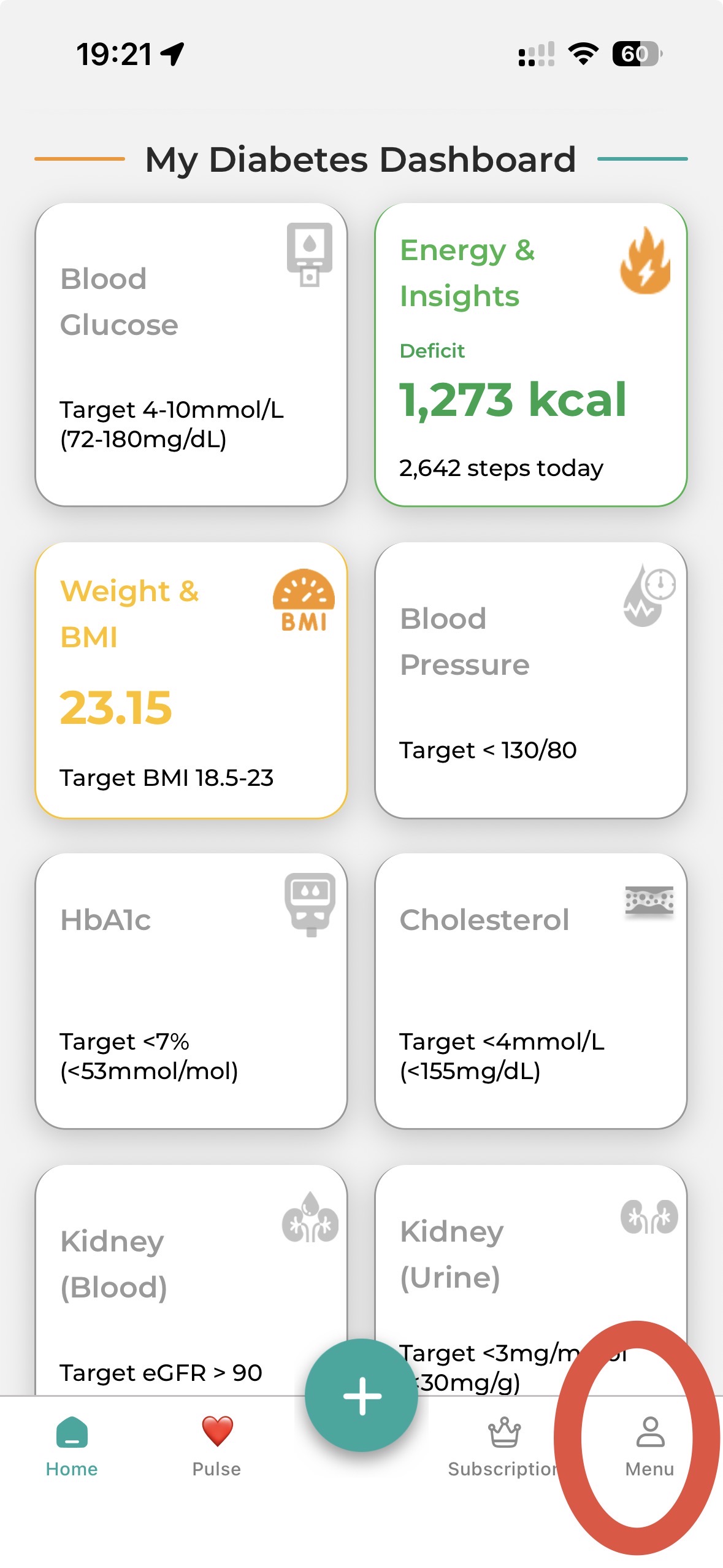
Open the app menu
Start from the main app screen and open the side menu using the three-bar menu icon.
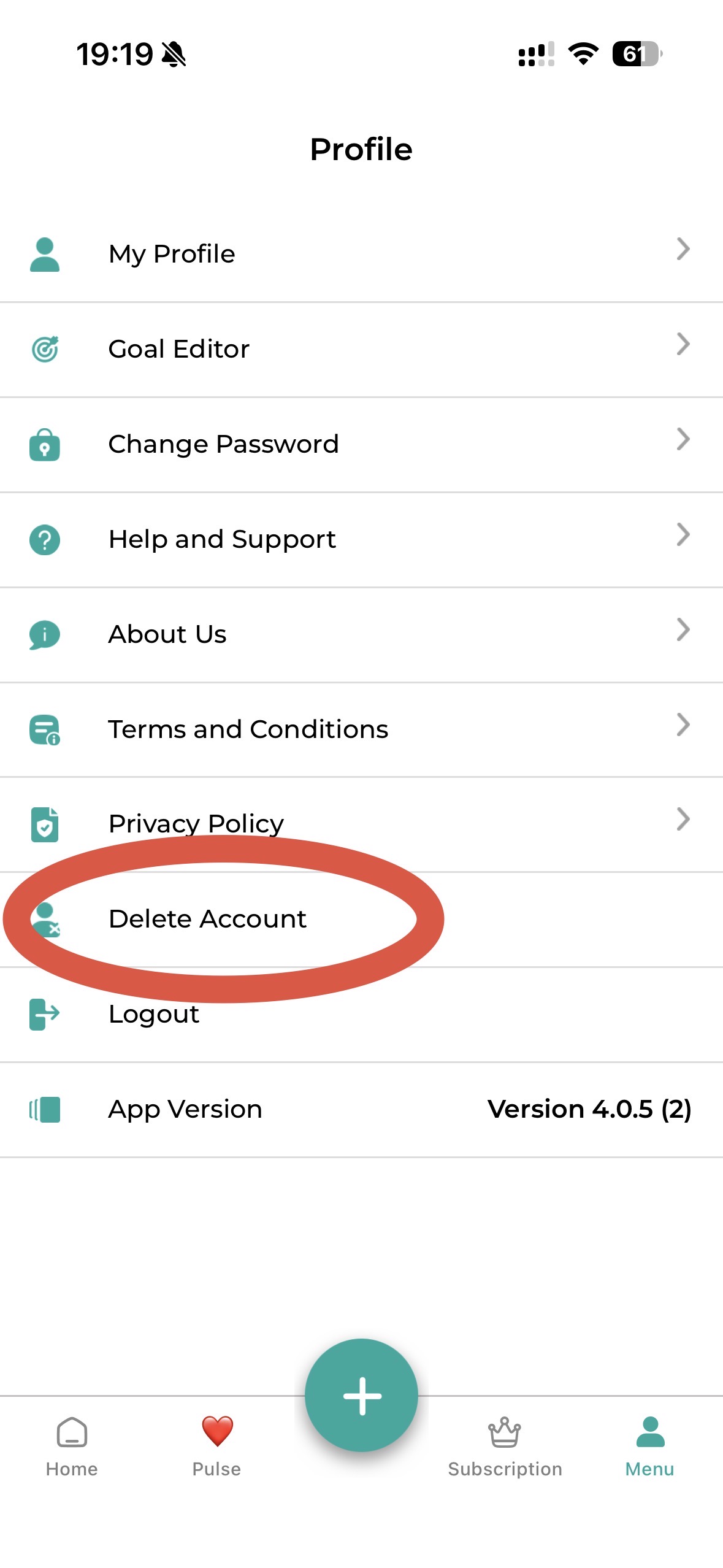
Choose Delete Account
From the menu, tap 'Delete Account' to start the permanent account removal flow.
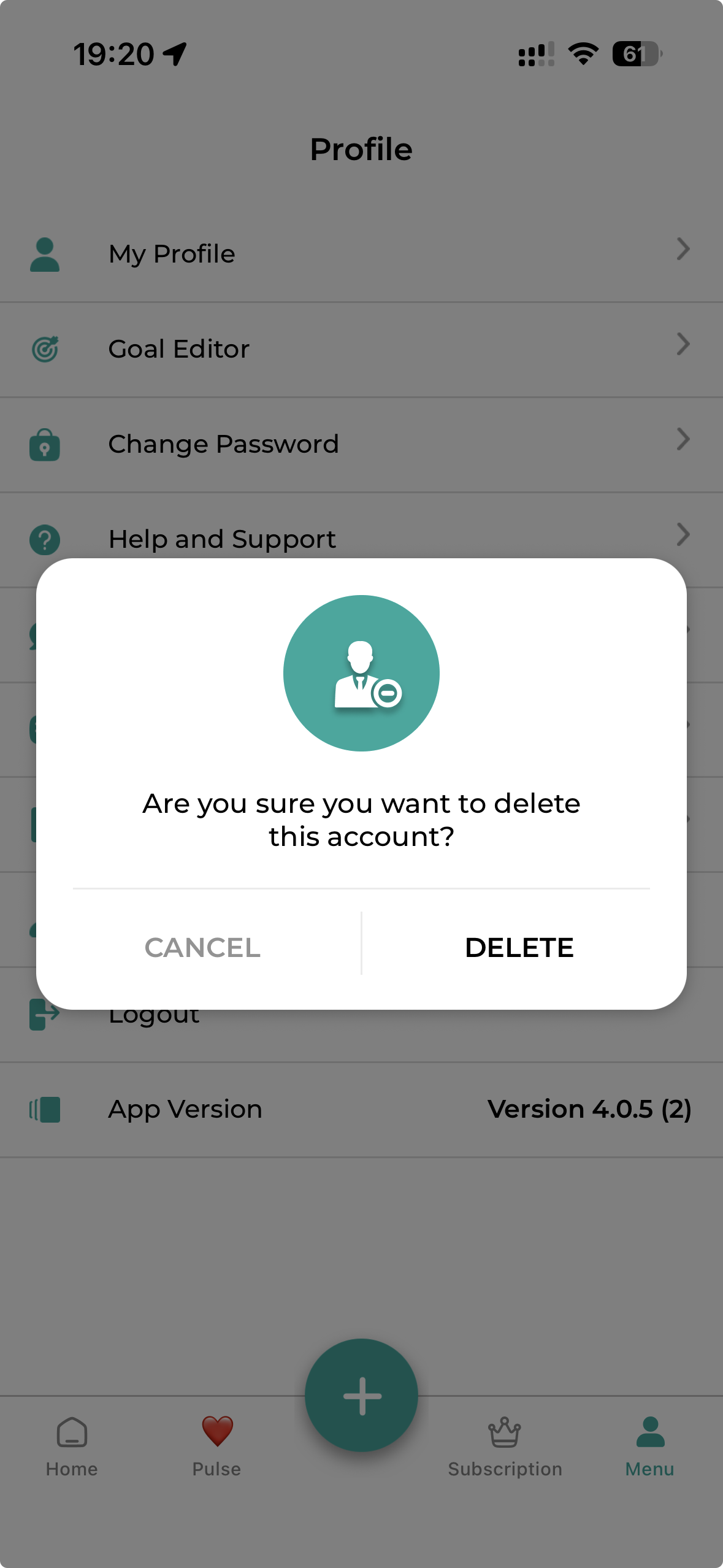
Confirm permanent deletion
Review the confirmation prompt carefully, then tap Delete only if you want to permanently remove your account.
Need help instead?
If you are having trouble deleting your account, contact support and we will help you find the right next step.
Support is available by email